Please click on one of the pink buttons below to select your preferred payment method to buy the unlock code. It is going to be delivered automatically by email
between 1 to 2 hours after payment confirmation, but it could take up to 1 business day in cases when the automated process fails:
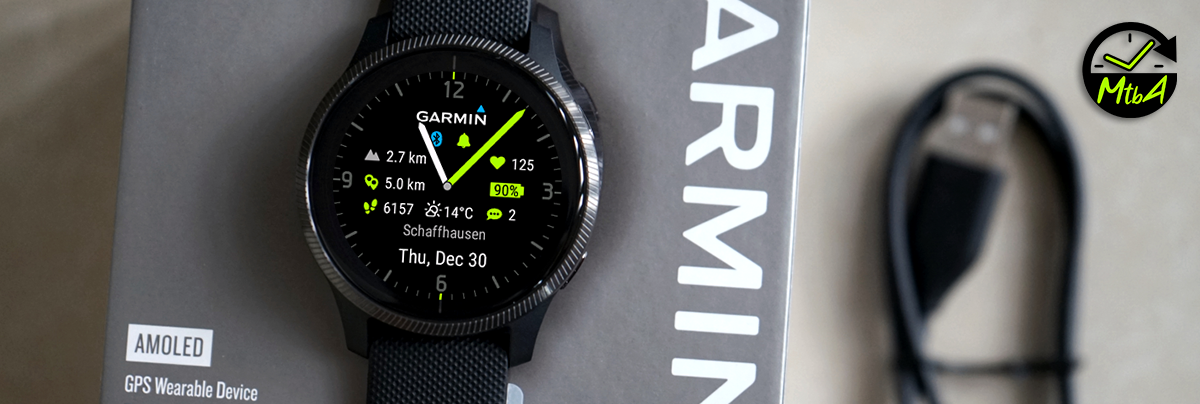
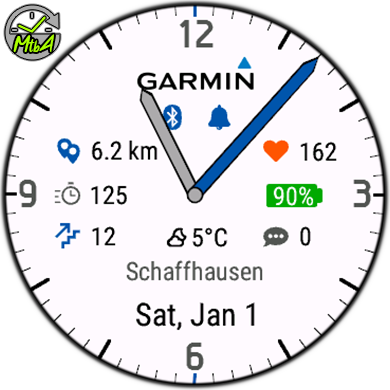
MtbA White Analog
All our watch faces are free to use without any time restrictions, as long as you stick to the
default color and data points. In case you are pleased with the watch
face and would like to have more customization options, an unlock code can be purchased below that will allow you to choose:
- 10 different accent colors that go well with the white background.
- 26 different data points to add into each of the 5 different locations on the watch face:
Notifications count: Accent color if at least one notification is available or grey if no unread notifications;
Heart Rate data;
Calories burned;
Distance walked/ran on the day (km or miles, dependent on watch’s selected unit on general config): Icon will be displayed in grey until steps goal has been met, and then changing to the accent color of choice;
Steps walked/ran on the day: Icon will be displayed in grey until steps goal has been met, and then changing to the accent color of choice;
Elevation (altitude above mean sea level in meters): Derived from the most accurate source (Barometer or GPS) in order of descending accuracy. If no GPS is present, then barometer readings will be used;
Wind speed: Current wind speed in km/h or mph (depending on watch's pace unit settings), or m/s if selected on the MtbA White settings. The icon is the actual approximate wind direction;
Blood oxygen percentage: last available value or current pulse ox if sensor is active;
Floors climbed count: Icon will be grey when there are no unread notifications, and then changing to the accent color of choice when the floor climb goal is met;
Precipitation percentage: The current chance of rain/snow precipitation (0-100%);
Humidity percentage: The current relative humidity (0-100%);
Solar intensity percentage: Describes the solar sensor’s charge efficiency, only available on Solar Charged watches.
 MoveToBeActive Watch Faces